
AI is reshaping how we write code. Not slowly, either — it’s happening fast. In just a few years, we’ve gone from glorified autocomplete to tools that can read your entire codebase, spot architectural problems, generate tests, and help you think through design decisions. That’s a massive shift, and honestly, it’s still kind of wild to experience day to day.
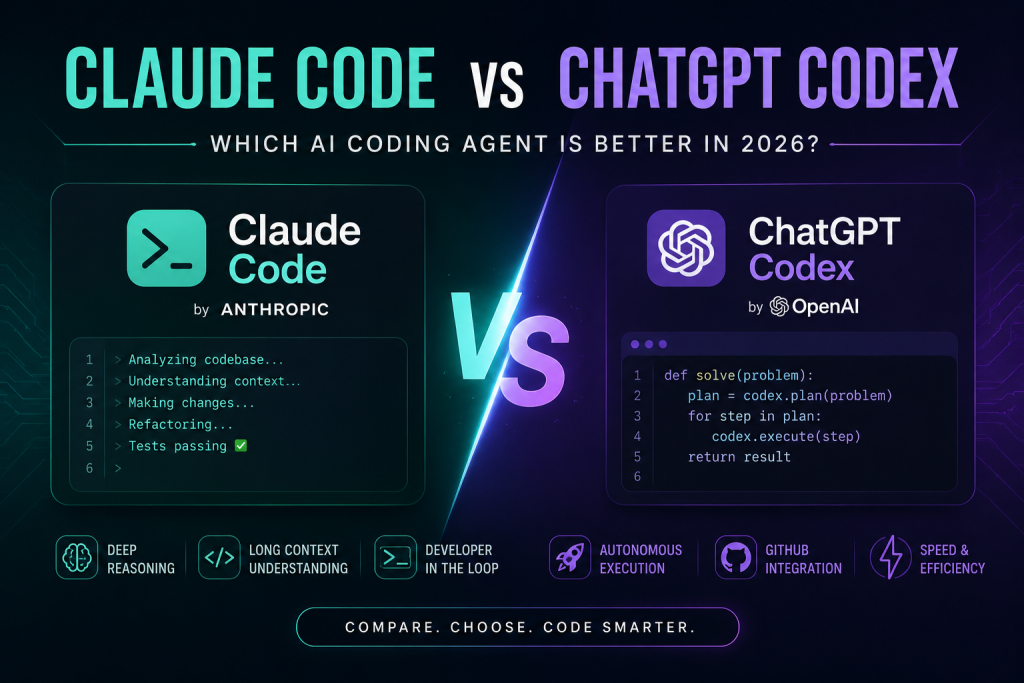
In 2026, two tools dominate this conversation: Claude Code by Anthropic and ChatGPT Codex by OpenAI. Both are built to make developers more productive. But spend a week with each, and you’ll quickly realize they have pretty different personalities. Let’s get into it.
What Even Is Claude Code?
Claude Code is Anthropic’s answer to the question: “What if your AI coding assistant actually thought before responding?”
It’s terminal-first, which immediately sets the tone. This isn’t a pretty web interface — it’s built for developers who live in the command line. You point it at your repo, and it digs in. It reads across multiple files, understands how things connect, and gives you suggestions that actually account for your project’s structure — not just the snippet you pasted in.
It handles large codebases particularly well. If you’re working on a sprawling backend service, a complex API layer, or an enterprise application with years of history baked in, Claude Code tends to hold context better than most tools out there.
One detail worth mentioning: it supports a file called CLAUDE.md where your team can define project-specific coding rules and standards. Small feature, but genuinely useful when you’re working with a team that has strong conventions.
What Is ChatGPT Codex?
ChatGPT Codex is OpenAI’s coding agent, and it’s built with a different philosophy: move fast and get things done.
It plugs into the broader ChatGPT ecosystem, so if you’re already using ChatGPT heavily in your workflow, Codex feels like a natural extension. It’s designed to automate the repetitive stuff — generating modules, scaffolding APIs, writing tests, handling boilerplate, fixing recurring bugs. The kind of work that eats up hours but doesn’t really require deep thinking.
Where Claude Code feels like a collaborator who asks clarifying questions, Codex feels more like a highly capable junior dev who just starts executing. Fast, efficient, and great for well-defined tasks.
The Core Difference (Honestly)
Here’s the simplest way I can put it:
Claude Code is a thinking partner. ChatGPT Codex is an execution machine.
Claude Code will slow down and reason through a problem with you. It tends to explain why it’s making a choice, not just what to do. That can feel slower, but it often saves you from making decisions you’d regret later.
Codex moves. It assumes you know what you want and it goes and builds it. For the right tasks, that speed is genuinely impressive.
Neither approach is wrong — they’re just optimized for different moments in a developer’s day.
Feature Comparison
| Feature | Claude Code | ChatGPT Codex |
|---|---|---|
| Company | Anthropic | OpenAI |
| Workflow Style | Collaborative | Autonomous |
| Context Understanding | Excellent | Very Good |
| Large Codebase Handling | Excellent | Good |
| Refactoring Ability | Strong | Moderate |
| Speed | Moderate | Fast |
| Automation | Good | Excellent |
| Terminal Experience | Excellent | Excellent |
| Debugging Support | Strong | Strong |
| GitHub Workflow | Moderate | Excellent |
| Architecture Reasoning | Excellent | Good |
| Productivity Focus | High | Very High |
Where Claude Code Really Earns Its Stripes
1. Large, messy codebases
This is where Claude Code separates itself. When you’re working across dozens of files, multiple services, or a monorepo that’s accumulated years of decisions — Claude Code keeps up. It tracks relationships between modules, notices patterns, and gives suggestions that fit the whole picture, not just the file you’re looking at.
It’s particularly good for enterprise applications, backend systems, large FastAPI projects, Angular architectures, and anything that requires you to think at a system level.
2. Refactoring
If you’ve ever tried to refactor a mature codebase with an AI tool and ended up with something technically correct but architecturally worse — you’ll appreciate what Claude Code does here.
It analyzes dependencies, understands existing patterns, and produces refactoring suggestions that are actually cleaner and better structured. It doesn’t just move code around — it thinks about why the code is the way it is and whether the proposed change makes things genuinely better.
3. Explaining its own reasoning
This sounds minor but it matters. Claude Code doesn’t just hand you code and move on. It often walks you through why a particular implementation makes sense. For experienced developers, that’s useful validation. For developers still growing, it’s genuinely educational. Either way, you come away understanding the code, not just having it.
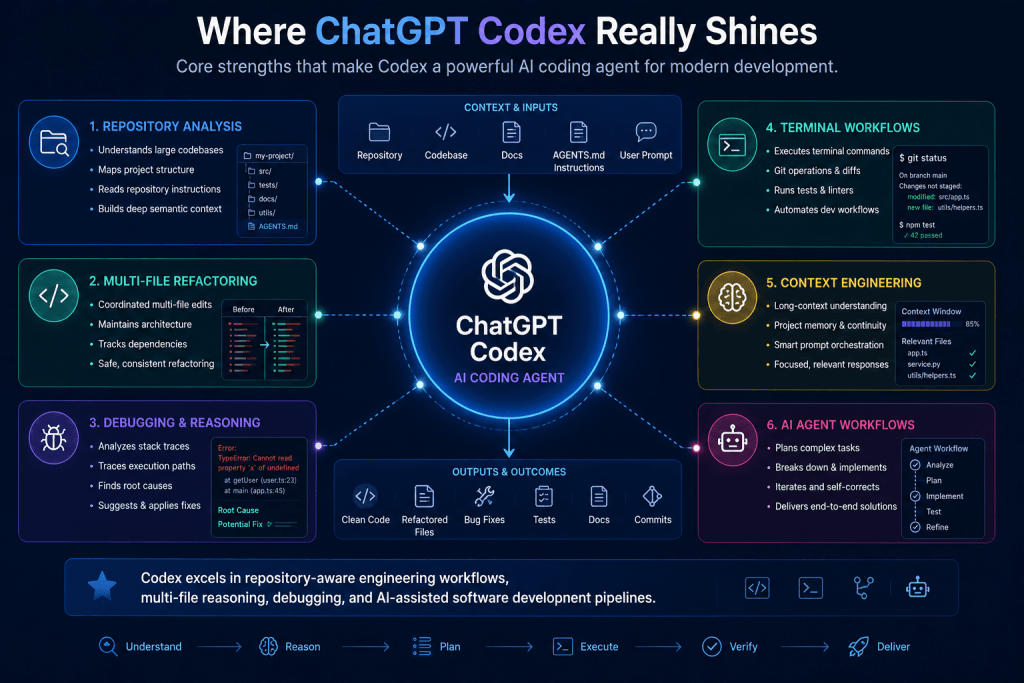
Where ChatGPT Codex Really Shines
1. Raw speed
For day-to-day development tasks — especially the repetitive ones — Codex is remarkably fast. It generates boilerplate, builds out utility functions, scaffolds modules, and handles common patterns without breaking a sweat. If you need something working quickly, it delivers.
2. Automation workflows
Codex is particularly well-suited for automating the parts of software development that follow predictable patterns:
- CRUD generation
- Writing test suites
- API scaffolding
- Debugging recurring issues
- Code migration
- Script generation
If you find yourself doing the same type of task over and over, Codex can take that off your plate fast.
3. ChatGPT ecosystem fit
If you’re already deeply embedded in OpenAI’s tools, Codex feels seamless. The way it connects conversational prompts with actual code generation is smooth, and the overall workflow feels cohesive. For teams already using ChatGPT for documentation, planning, and communication — adding Codex to the mix feels natural.
For Beginners: Which One?
Both can help beginners, but in different ways.
Claude Code gives you more context. It explains decisions, walks through logic, and treats you like someone who wants to understand what’s happening — not just get an answer. If you’re learning software engineering and want to actually grow, that approach has real value.
Codex gives you more momentum. It’s faster, more execution-focused, and great when you’re trying to build something and keep moving. If your goal right now is just shipping projects and getting reps in, Codex might feel more immediately satisfying.
Honestly? If you want to learn deeply, start with Claude Code. If you want to build fast, start with Codex.
For Professional Developers: Which One?
This is where it really comes down to what kind of work you do most.
Reach for Claude Code when you’re:
- Working on large, complex software systems
- Making architecture decisions that will live for years
- Refactoring code that has a lot of history
- Doing backend engineering where getting it right matters more than getting it done fast
- Debugging something gnarly that spans multiple services
- Doing research-heavy or exploratory development work
Reach for Codex when you’re:
- In startup mode and speed is everything
- Automating repetitive engineering tasks
- Rapid prototyping a new feature or product idea
- Grinding through boilerplate-heavy work
- Doing greenfield development where structure isn’t locked in yet
- Just trying to be as productive as possible that day
What It Actually Feels Like to Use Them
In practice, the difference is pretty tangible.
Claude Code feels like pairing with a senior engineer who takes their time. When you throw a complex problem at it — say, restructuring a large FastAPI service with multiple interdependent modules — it thinks before it speaks. The output usually reflects a genuine understanding of what you were trying to do.
Codex feels like working with someone who’s extremely capable and extremely eager to ship. Give it a clear, well-scoped task and it executes it fast. It’s genuinely impressive to watch when the task is well-defined.
Where it gets interesting is the gray area. For tasks that need both speed and deep thinking, you might find yourself bouncing between the two — using Codex to get a first pass done quickly, then bringing in Claude Code to review and improve the architecture. A lot of developers are already doing exactly this.
The Bigger Shift Happening Here
The fact that we’re comparing tools like these at all signals something important. Software development is changing in a fundamental way.
The mental model of “developer writes every line of code” is giving way to something more like “developer directs and supervises intelligent coding systems.” These tools can now analyze your repo, generate working implementations, explain their reasoning, optimize existing code, automate entire workflows, and assist with debugging across complex systems.
That’s powerful. But it doesn’t mean engineering knowledge matters less — it means it matters differently. Understanding system design, architecture, security, and software principles is more important than ever, because now you’re the one reviewing and approving what the AI produces. You need to know when it’s right and when it’s subtly wrong.
AI coding tools make you more productive. They don’t make you a better engineer by themselves. That part is still on you.
Final Verdict
Both Claude Code and ChatGPT Codex are genuinely impressive tools. Neither is a gimmick.
Claude Code is the one you want when depth matters — when you’re navigating complexity, thinking about architecture, or trying to truly understand what you’re building.
ChatGPT Codex is the one you want when velocity matters — when you need to move fast, automate the grind, and ship things quickly.
The best setup for most professional developers is probably both, used intentionally based on what the moment calls for.
As AI-assisted development keeps evolving, the developers who figure out how to work with these tools — knowing when to lean on them and when to push back — are going to have a real edge. That skill is worth developing now, because this is only going to become more central to how software gets built.
What is Claude Code?
Claude Code is Anthropic’s coding assistant built for developers who work directly in the terminal. It’s designed to understand your actual codebase — not just the snippet you paste in — and help with everything from explaining unfamiliar code to refactoring entire modules, fixing bugs, and handling day-to-day engineering workflows. The big differentiator is context: Claude Code is built to reason across large, multi-file repositories rather than treating each question in isolation.
What is ChatGPT Codex?
ChatGPT Codex is OpenAI’s AI-powered coding assistant, and is part of the broader ChatGPT ecosystem. It’s built for developers who need fast, powerful assistance generating code, debugging, explaining complex logic, and automating repetitive development tasks. If you’re already living inside the ChatGPT environment, Codex feels like a natural extension of that — a highly capable assistant that leans toward speed and productivity.
Which is better for large codebases: Claude Code or ChatGPT Codex?
Claude Code is better at navigation and reasoning over large complex repositories. It’s designed specifically to hold long context — tracking how different parts of a codebase relate to each other across many files simultaneously. ChatGPT Codex performs strongly on reasoning-heavy coding tasks, rapid prototyping, and multi-domain development — but for the kind of deep, architecture-aware work that large codebases demand, Claude Code is generally the more thoughtful partner.
Can AI coding agents understand entire repositories?
Mostly yes, but with real limitations. Modern AI coding agents can analyze large repositories by combining long-context processing, retrieval systems, and project instruction files that describe the codebase’s structure and conventions. In practice, performance depends heavily on how well the repository is organized, how clearly the context is provided, and whether the agent has hit its context limit. They understand a lot — but they don’t understand everything, and knowing when to verify their output is still on you.
Are AI coding agents replacing software developers?
No — and it’s worth being clear about why, not just asserting it. AI coding agents are genuinely fast at generating boilerplate, explaining code, and handling well-defined tasks. But they don’t make architecture decisions. They don’t know your production constraints, your team’s history, or why a particular design choice was made six months ago. They can’t take responsibility for security, performance, or reliability. Developers who use these tools well become significantly more productive. Developers who trust them blindly create different problems. The tool is powerful. The judgment is still yours.
What are repository instructions in AI coding systems?
Repository instructions are files you place in your project that tell an AI coding agent how your codebase works — its structure, conventions, workflows, and any rules the team follows. Claude Code uses CLAUDE.md for this. OpenAI’s Codex agent looks for AGENTS.md. Think of them as onboarding documents written for the AI — the same kind of context you’d give a new developer joining the team, but formatted so the agent can reference it while working. The better these files are written, the more useful the agent becomes.
Which AI coding assistant is better for debugging?
Both are genuinely capable here, but in different ways. Claude Code tends to shine on debugging problems that span multiple files or require understanding the broader system — it traces how a bug’s root cause in one part of the code propagates through others. ChatGPT Codex is particularly good at step-by-step logical explanation — walking you through exactly why a piece of code behaves the way it does. Both are good for quick, isolated bugs. For more complex, system-wide bugs, Claude Code’s repository awareness gives it an edge.
Do AI coding agents support terminal workflows?
Yes, and they have come a long way from simple chat interfaces here. Modern AI coding agents can run terminal commands, inspect repository structure, edit files, manage git workflows, and execute automation pipelines — essentially functioning as an active participant in your development workflow rather than a passive advisor you copy-paste answers from. Claude Code was built specifically around this terminal-first model.
What is context engineering in AI coding?
Context engineering is the practice of deliberately designing what information you give an AI system so it can do better work. In coding specifically, that means thinking carefully about how you structure your repository instructions, what you include in your prompts, how you organize documentation the agent can reference, and whether you’re using retrieval systems to surface relevant code on demand. The quality of context the agent works with directly determines the quality of what it produces. Prompt engineering was about crafting the right question. Context engineering is about building the right environment for the question to be answered well.
Are AI coding agents useful for beginners?
Yes, genuinely — with one honest caveat. AI coding assistants can help beginners move faster, understand errors they’d otherwise be stuck on for hours, learn new concepts through working examples, and build real projects much earlier in their learning journey. That’s valuable. The caveat is that copying generated code without understanding what it does creates a gap that shows up later — in technical interviews, in debugging sessions, in situations where the AI gets it wrong and you can’t tell. Use these tools to understand faster, not to avoid understanding.